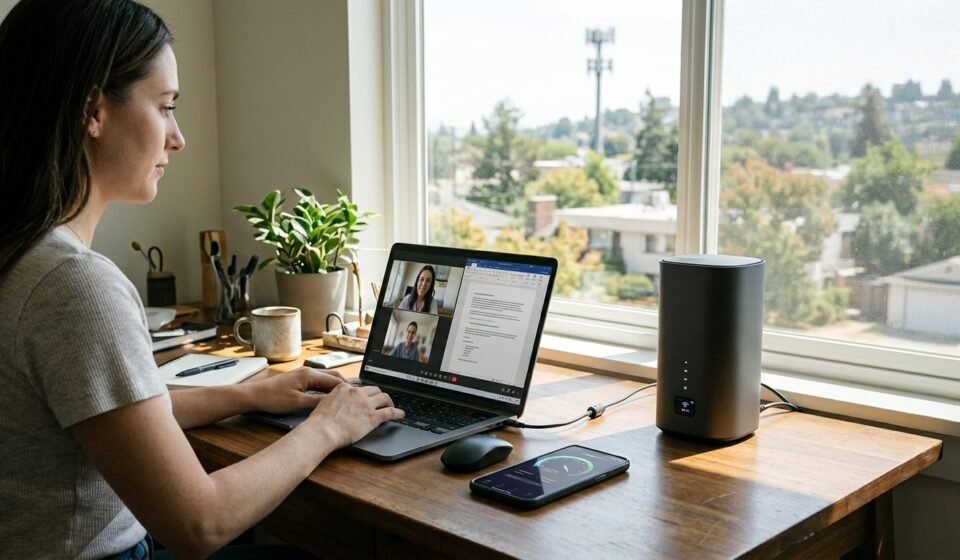

T-Mobile 5G Home Internet has become an alternative to traditional cable, fiber, and DSL connections for households looking for affordable internet without complicated installation. It uses T-Mobile’s cellular network to deliver internet through a home gateway, making it possible to get online without a conventional cable or fiber connection.
But is T-Mobile internet actually worth the money? Customer experiences vary. Some households report convenient setup, competitive speeds, and reliable everyday performance, while others experience slowdowns, inconsistent connections, or problems with gaming and remote work.
The biggest factor is location. Your distance from a cellular site, network capacity, signal strength, and gateway placement can influence the experience. This review examines T-Mobile internet plans, speeds, reliability, advantages, disadvantages, and real-world use cases to help you decide whether the service is right for your home.
Is T-Mobile Home Internet Any Good?
T-Mobile Home Internet can be a good option for households with strong local 5G coverage, particularly when cable or fiber is expensive or unavailable. Its wireless installation, included gateway, and unlimited-data plans make it convenient for everyday internet activities.
However, it is not the ideal choice for everyone. Unlike a dedicated fiber connection, fixed wireless performance can change depending on cellular network conditions and the number of customers sharing local capacity.
T-Mobile Home Internet is worth considering if you:
- Want an alternative to expensive cable internet.
- Live in an area with strong T-Mobile 5G coverage.
- Prefer a simple self-installation process.
- Regularly stream videos, browse websites, and use social media.
- Want an internet plan without a traditional annual contract.
It may be less suitable if your household depends on extremely consistent low latency, large uploads, competitive online gaming, or demanding business applications.
The best way to judge the service is to test it at your actual address rather than relying only on national speed claims or another customer’s experience.
T-Mobile Internet Plans and Pricing
T-Mobile offers several home internet options, including Rely, Amplified, and All-In. Their features and monthly prices differ, so customers should compare the current offers available at their service address.
Rely Home Internet
Rely is the entry-level option for customers who want straightforward home connectivity without paying for additional premium benefits.
It can suit households that primarily use the internet for browsing, streaming, online shopping, and everyday applications.
Amplified Home Internet
Amplified offers additional benefits compared with the entry-level plan. Depending on the current offer, customers may receive enhanced support and other included features.
It may appeal to households that want additional assistance and a broader set of service benefits.
All-In Home Internet
All-In is the higher-tier option, designed for customers interested in additional included benefits and support.
Before choosing it, compare the extra features with your actual needs. Paying more does not automatically guarantee that your home will receive better cellular signal strength or consistently higher speeds.
What Does T-Mobile Home Internet Cost?
Pricing depends on the selected plan, AutoPay eligibility, qualifying mobile-line discounts, promotions, and applicable taxes and fees. T-Mobile also advertises a five-year price guarantee on eligible plans, subject to its terms and exclusions.
Promotional prices can change, so check the final monthly amount before ordering. Do not compare a discounted bundle price with another provider’s standard price without checking the eligibility requirements.
T-Mobile advertises unlimited data on its home internet plans, but network management and performance conditions still matter. Unlimited data should not be confused with guaranteed speeds at every hour of the day.
T-Mobile 5G Home Internet Speed and Performance
Speed is one of the most important factors in customer reviews. T-Mobile delivers home internet through its cellular network, so performance depends on the available signal and local network capacity.
Its published typical speed ranges for current wireless home internet plans include:
| Plan | Typical download speed | Typical upload speed |
|---|---|---|
| Rely | 87–318 Mbps | 14–56 Mbps |
| Amplified | 133–415 Mbps | 12–55 Mbps |
| All-In | 133–415 Mbps | 12–55 Mbps |
These are published typical ranges, not guaranteed speeds for every customer. Actual results can be higher or lower depending on location, signal strength, network congestion, equipment, and other conditions.
Why Do T-Mobile Internet Speeds Vary?
Fixed wireless internet shares cellular network resources with other users. When local demand increases, available capacity can become more limited.
Several factors can influence performance:
- Distance and connection quality to a nearby cellular site.
- Network congestion during busy periods.
- Building materials and physical obstructions.
- Gateway position inside the home.
- Interference affecting wireless signals.
- Number of connected devices and their activities.
For example, a household may experience faster downloads during the morning but slower performance in the evening when more people are online.
This is why one speed test cannot provide a complete picture. Test the connection at different times and in the rooms where you actually use the internet.
Is T-Mobile Home Internet Reliable?

Reliability is one of the most debated topics in T-Mobile internet reviews.
Some customers report using the service for months or years without major interruptions. Others describe inconsistent speeds, occasional disconnections, gateway problems, or poor performance during busy hours.
Both experiences can be genuine because fixed wireless performance is location-dependent.
What Can Affect Connection Stability?
Cellular signal: A weak or fluctuating connection between the gateway and the cellular network can affect internet performance.
Network congestion: A nearby cellular site may have limited capacity during periods of heavy demand.
Gateway placement: Placing the gateway behind thick walls, inside cabinets, or far from a suitable window can affect reception.
Equipment issues: Gateway software, overheating, or hardware faults can sometimes contribute to connection problems.
Local network conditions: Maintenance, outages, and changes in cellular capacity may affect service.
If the connection becomes unreliable, check the gateway’s signal information, restart the equipment when appropriate, and test different placement locations. Persistent problems should be reported to T-Mobile support.
T-Mobile Internet Pros and Cons
Before switching providers, consider the main advantages and limitations.
Advantages of T-Mobile Home Internet
- Convenient installation: Most customers can set up the gateway themselves without a traditional cable installation appointment.
- Unlimited data: Eligible home internet plans include unlimited data.
- No annual contract: The service offers an alternative to traditional long-term broadband commitments.
- Competitive pricing: Plans and qualifying discounts may be attractive compared with local cable options.
- Wireless connectivity: It can be useful in locations where wired broadband choices are limited.
- Included gateway: The home internet gateway is included with the service under the applicable plan terms.
Disadvantages of T-Mobile Home Internet
- Variable speeds: Performance depends on local cellular conditions.
- Congestion-related slowdowns: Busy network periods can affect the connection.
- Location restrictions: Availability is determined by the service address and network capacity.
- Latency limitations: Some online games and real-time applications may perform better on fiber.
- Less control over equipment: Customers may have fewer advanced networking options than with some traditional broadband setups.
- Inconsistent experiences: Results reported by other customers may not reflect performance at your address.
The main trade-off is convenience and potential value versus the consistency of a dedicated wired connection.
Is T-Mobile Internet Good for Gaming, Streaming, and Working From Home?
The right internet provider depends on how you use your connection. A service that works well for streaming may not be ideal for competitive gaming or specialized business applications.
Streaming Movies and Television
T-Mobile Home Internet can support common streaming activities when the connection is sufficiently fast and stable.
Video platforms adjust streaming quality according to available bandwidth. A household with a good connection can generally watch high-definition content, but simultaneous streaming on several devices may require more capacity.
If you experience buffering, test your speed and check whether the problem occurs on one device or throughout the home.
Online Gaming
Gaming requires more than high download speeds. Latency, jitter, and packet loss can have a major effect on responsiveness.
T-Mobile may work adequately for casual gaming, downloads, and many multiplayer games. However, competitive players may prefer fiber or cable connections with more predictable latency.
The actual experience depends on the game, server location, network conditions, and connection stability.
Remote Work and Video Meetings
For everyday remote work, T-Mobile can be suitable for email, browsing, document editing, and many video meetings.
However, people who depend on corporate VPNs, remote desktop systems, large file uploads, or specialized business software should test those applications before replacing an existing provider.
Some individual reviewers have reported VPN-related difficulties, but that does not mean every VPN is incompatible with T-Mobile.
T-Mobile Home Internet vs. Cable, Fiber, and Verizon
Comparing providers helps determine whether T-Mobile offers the right balance of cost and performance.
| Internet type | Main advantage | Main limitation |
|---|---|---|
| T-Mobile 5G Home Internet | Convenient wireless setup and potentially competitive pricing | Performance varies by cellular coverage and congestion |
| Fiber internet | High speeds, strong upload performance, and generally low latency | Availability is limited in some locations |
| Cable internet | Broad availability and established infrastructure | Upload speeds and pricing vary by provider |
| DSL internet | Available in some areas without newer infrastructure | Often slower than modern broadband options |
| Verizon 5G Home Internet | Another fixed-wireless alternative | Coverage and performance depend on local network conditions |
T-Mobile vs. Fiber
Fiber is generally the stronger option for users who need high upload speeds, low latency, and consistent performance. It can be particularly useful for competitive gaming, large file transfers, and demanding work applications.
T-Mobile may be more attractive when fiber is unavailable or its monthly cost is considerably higher.
T-Mobile vs. Cable
Cable internet can offer dependable performance and higher speeds in many locations, although pricing, upload speeds, and promotional conditions vary.
T-Mobile is worth comparing when a cable provider charges more or requires equipment and installation arrangements that are inconvenient.
T-Mobile vs. Verizon 5G Home Internet
Both providers use cellular networks to deliver home broadband. Neither should be judged by national coverage claims alone.
Compare the actual availability, monthly price, gateway, and performance at your address. If possible, test both services under similar conditions before making a long-term decision.
How to Improve T-Mobile Home Internet Performance
If your connection is slower than expected, a few practical adjustments may help.
1. Reposition the gateway: Place it in an open area and experiment with locations near suitable windows. Avoid enclosed cabinets and locations surrounded by thick walls.
2. Check signal quality: Use the gateway’s available signal information or the T-Mobile app to identify a better location.
3. Test at different times: Run speed tests in the morning, afternoon, and evening to identify possible congestion patterns.
4. Review connected devices: Check whether large downloads, cloud backups, or other activities are consuming bandwidth.
5. Improve Wi-Fi coverage: Move devices closer to the gateway or consider a compatible mesh Wi-Fi system if the problem is limited to distant rooms.
6. Restart and update equipment: Follow T-Mobile’s troubleshooting instructions for gateway restarts and available software updates.
7. Contact support: If performance remains poor after basic troubleshooting, ask T-Mobile to investigate signal or equipment issues.
Remember that improving Wi-Fi coverage inside your home will not necessarily fix a weak cellular connection between the gateway and T-Mobile’s network.
Is T-Mobile Home Internet Worth Trying?
T-Mobile Home Internet is worth considering when its network performs well at your address and its pricing compares favorably with available alternatives.
It may be particularly attractive for:
- Budget-conscious households: People seeking a competitive alternative to expensive wired plans.
- Rural customers: Households without convenient access to cable or fiber, provided T-Mobile offers adequate coverage.
- Everyday internet users: People who primarily browse, stream, shop, and use social media.
- Small households: Users with moderate internet demands and suitable local network capacity.
It deserves more careful testing for:
- Competitive gamers: Low and consistent latency may be more important than download speed.
- Remote professionals: VPNs, remote desktops, and upload-heavy tasks should be tested.
- Large families: Multiple simultaneous activities can reveal performance limitations.
- Content creators: Frequent large uploads may benefit from fiber’s stronger upload capabilities.
T-Mobile offers a 15-day Home Internet Test Drive for eligible customers. Read the current cancellation, billing-credit, and gateway-return conditions before signing up. Use the trial to test the connection during busy hours and with the devices and applications your household actually uses.
Do not cancel your existing provider until you have confirmed that the replacement connection meets your needs.
Frequently Asked Questions
1. Is T-Mobile Home Internet worth the money?
It can be worthwhile for households with strong local 5G coverage, competitive plan pricing, and everyday internet needs. However, customers who require highly consistent speeds or low latency should compare it carefully with fiber and cable.
2. How fast is T-Mobile 5G Home Internet?
T-Mobile publishes typical download ranges of 87–318 Mbps for Rely and 133–415 Mbps for Amplified and All-In. Actual speeds vary according to location, signal strength, network capacity, and other conditions.
3. Does T-Mobile Home Internet have unlimited data?
T-Mobile advertises unlimited data on its eligible home internet plans. However, network management and prioritization policies can affect performance during congestion. Unlimited data does not mean guaranteed speeds at all times.
4. Is T-Mobile Home Internet good for gaming?
It can work for casual online gaming, but performance depends on latency, jitter, packet loss, and network stability. Competitive gamers may prefer fiber or another connection with more consistent latency.
5. Can T-Mobile Home Internet replace cable or fiber?
Yes, it can replace cable or fiber for some households, especially where cellular coverage is strong and internet demands are moderate. However, users who need high upload speeds, predictable latency, or demanding business connectivity may prefer a wired service.
Conclusion
T-Mobile 5G Home Internet can be a practical alternative to cable or DSL when coverage is strong and local network capacity is sufficient. Its simple setup, unlimited-data plans, and pricing options are attractive, but speeds and latency vary by address and time. Test it carefully before canceling an existing connection, especially if work or gaming depends on stability and consistency.
Related Post



[…] are advertised, whether customers receive the incentives they are promised, and what happens when a company representative allegedly provides incorrect […]