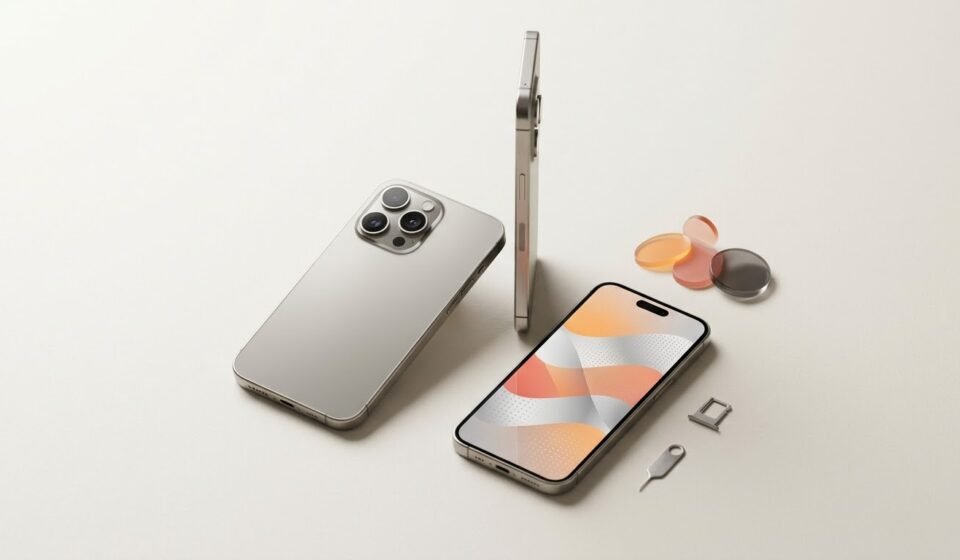

The Apple iPhone Air unlocked by Red Pocket Mobile is an option for shoppers who want Apple’s slim, lightweight smartphone design alongside a mobile service plan. It combines a titanium frame, a 6.5-inch OLED display, an A19 Pro chip, and a 48MP Fusion camera system in a remarkably thin device. Before buying, however, it is important to understand the phone’s specifications, eSIM requirements, network compatibility, and the conditions attached to any advertised discount or rebate.
Red Pocket Mobile offers iPhones with different purchasing and service options. The value of an iPhone Air purchase depends not only on the advertised phone price but also on the selected plan, qualifying promotional requirements, taxes, and any additional charges.
This guide explains the iPhone Air’s main features, what unlocked means, how Red Pocket’s offers work, and what to consider before placing an order.
What Is the Apple iPhone Air Unlocked by Red Pocket Mobile?
The Apple iPhone Air is a thin, lightweight smartphone designed for people who want a large display and strong performance without carrying a heavier device. Its titanium frame and slim profile give it a distinctive design, while its A19 Pro chip supports demanding applications, photography, video, and everyday multitasking.
When a phone is described as unlocked, it generally means that it is not restricted to one mobile carrier by a carrier lock. This can provide more flexibility when choosing compatible wireless service.
Red Pocket Mobile sells an iPhone Air listing identified as unlocked. Its product information includes 5G connectivity, storage choices, mobile plan options, and promotional offers that may change over time.
Before purchasing, check the specific product configuration and the terms displayed during checkout. The word “unlocked” describes the phone’s carrier-lock status; it does not automatically guarantee compatibility with every carrier, network technology, or service plan.
Key Features of the Apple iPhone Air
The iPhone Air is built around a combination of portability, performance, photography, and modern connectivity. Here are the main specifications that buyers should understand.
Slim and Lightweight Titanium Design
One of the phone’s most noticeable characteristics is its thin construction. Apple lists the iPhone Air at approximately 5.64 millimeters thick and 165 grams in weight.
The titanium frame contributes to its premium appearance while keeping the device light. This design may appeal to people who prefer a large-screen phone that feels less bulky in a pocket or bag.
The slim profile is a major part of the iPhone Air’s appeal. However, shoppers should consider their own priorities, including how they hold the phone, the type of case they prefer, and whether they value a thin design more than other features.
6.5-Inch Super Retina XDR Display
The iPhone Air features a 6.5-inch Super Retina XDR OLED display. Its high resolution, strong contrast, and support for adaptive refresh rates up to 120Hz make it suitable for watching videos, browsing websites, viewing photographs, and playing supported games.
A larger display can also make messages, documents, and social media content more comfortable to read. The high refresh rate can make supported scrolling and animations appear smoother.
For buyers who regularly stream video or use their phones for work and entertainment, the display is an important part of the experience.
A19 Pro Chip for Everyday Performance
Apple equips the iPhone Air with its A19 Pro chip. This processor supports responsive everyday operation and demanding tasks, including photo processing, video editing, multitasking, and compatible Apple Intelligence features.
The practical benefit is that the phone is designed to handle more than basic calls and messaging. It can support users who rely on mobile applications for work, communication, navigation, content creation, and entertainment.
Actual performance will depend on the application, software version, and task being performed.
48MP Fusion Camera System
The rear camera system uses a 48MP Fusion main camera. It supports high-resolution photography and a 2x optical-quality zoom option.
This can be useful for taking everyday photographs, capturing travel scenes, photographing food, and recording important moments. The camera also offers computational photography features that help process images.
On the front, the iPhone Air has an 18MP Center Stage camera designed for selfies and video calls. Center Stage can help keep people appropriately framed during supported calls and recordings.
As with any smartphone, final image quality depends on lighting, movement, shooting conditions, and the selected camera mode.
Battery and Wireless Charging
The iPhone Air includes a built-in rechargeable lithium-ion battery and supports MagSafe and Qi2 wireless charging. Apple advertises up to 27 hours of video playback under its stated testing conditions.
Actual battery life can differ considerably depending on screen brightness, mobile signal strength, video streaming, gaming, navigation, background activity, and other settings.
If battery life is a major buying priority, consider how you use your current phone and whether you regularly have access to a charger. Advertised playback figures are useful for comparison, but they do not guarantee the same result for every user.
5G Connectivity and eSIM Support
The iPhone Air supports 5G and Wi-Fi 7, along with Bluetooth 6. These technologies provide modern connectivity for compatible networks and accessories.
An important detail is that the iPhone Air uses eSIM rather than a physical SIM card. It supports two active eSIMs and can store multiple eSIM profiles.
An eSIM is a digital SIM that allows compatible mobile service to be activated without inserting a traditional plastic SIM card. This can make switching between supported plans more convenient, but activation requirements vary by provider.
Before ordering, confirm that you are comfortable using eSIM and that your chosen network and plan support the activation process you intend to use.
What Does Unlocked Mean When Buying From Red Pocket Mobile?
An unlocked phone is generally not restricted by a carrier lock to a single wireless provider. That flexibility can be valuable if you want to change service, use another compatible network, or keep the same device when changing plans.
However, there are several details worth understanding.
Unlocked Does Not Mean Universal Compatibility
Different carriers use different network technologies, coverage arrangements, and supported frequency bands. An unlocked phone still needs to be compatible with the network you plan to use.
The iPhone Air supports a broad range of cellular bands, but service availability and performance depend on the carrier, plan, network configuration, and your location.
If you intend to use another carrier in the future, check its compatibility requirements before buying. Also confirm that the device’s unlocked status matches the specific purchase option you select.
Confirm the Purchase and Promotion Conditions
Red Pocket’s device policy distinguishes between carrier-unlocked phones and devices subject to locking rules. Its published policy specifically lists the iPhone Air among newer models that are fully unlocked for applicable plan-credit and rebate offers.
Promotional conditions can still affect the overall value of a purchase. Do not assume that a phone bought under one offer follows the same conditions as a device purchased through a different option.
Read the current terms carefully and retain your order confirmation.
Red Pocket Mobile Plans and the iPhone Air
The phone is only one part of the purchase. Your service plan determines how you use cellular data, make calls, send messages, and access mobile hotspot features.
Red Pocket presents different plan options, which may vary in data allowance, hotspot availability, pricing, and eligibility for promotions.
Choose a Plan Based on Your Data Usage
Before selecting a plan, think about your normal monthly habits.
Light users: If you mainly send messages, check email, browse websites, and occasionally use maps, a lower-data plan may be sufficient.
Regular mobile users: If you frequently use social media, browse while away from Wi-Fi, and stream some video, compare the data allowance of the available plans.
Heavy data users: If you stream video regularly, download large files, or use cellular data throughout the day, look closely at the high-speed data allowance and what happens after it is used.
Do not choose a plan based on the word “unlimited” alone. Check whether high-speed data is capped, whether speeds may be reduced after a threshold, and how much hotspot data is included.
Understand Mobile Hotspot Allowances
Mobile hotspot functionality allows a phone to share its cellular internet connection with another device, such as a laptop or tablet.
This feature can be helpful when traveling or working away from Wi-Fi. However, hotspot data may have a separate allowance from the phone’s main data allowance.
If you plan to use the iPhone Air as a regular internet connection for another device, compare hotspot limits before choosing a plan.
Check the Renewal Price
A promotional price may apply only for a specific period. Monthly plans can renew at their regular rate after the introductory period, while annual plans may require payment upfront.
Before purchasing, confirm:
- The amount due at checkout.
- The regular plan renewal price.
- The included high-speed data.
- The hotspot allowance.
- Taxes and applicable fees.
- Whether the offer requires a new line or number transfer.
- Whether the plan can be changed without losing promotional benefits.
These details help you estimate the real cost of ownership rather than focusing only on the initial price.
Understanding Red Pocket’s iPhone Air Rebate
A rebate can reduce the effective cost of a phone, but it is important to distinguish between an immediate discount and money received later.
An immediate discount reduces the amount charged during checkout. A rebate typically requires you to meet specific conditions before you can claim the advertised amount.
Red Pocket’s promotional requirements may include qualifying service payments, AutoPay, a particular plan, or transferring an existing phone number. The exact requirements depend on the offer.
How to Evaluate a Rebate Offer
Before relying on a rebate, follow these steps.
1. Confirm the advertised amount. Check the current iPhone Air listing and the offer details for the exact configuration you plan to purchase.
2. Review the qualifying plan. Make sure the selected service plan meets the stated requirements. A cheaper plan may not qualify for every promotion.
3. Check the payment schedule. Some rebates require consecutive recurring payments. The initial purchase or plan payment may not count as one of the qualifying recurring payments.
4. Confirm AutoPay requirements. If AutoPay must remain enabled, make sure your payment method is valid and that payments will not be interrupted.
5. Check number-transfer conditions. Some offers require you to bring an existing number from another provider. Activating a new number may not qualify for the same promotion.
6. Understand how the rebate is redeemed. You may need to wait for a rebate code and submit a claim after meeting the eligibility requirements.
Do not calculate your budget as though the rebate is guaranteed before you have confirmed the conditions. Keep copies of the offer terms, order confirmation, payment records, and rebate instructions.
How to Calculate the Real Cost of an Unlocked iPhone Air
The advertised price is only one part of the total expense. A more useful comparison considers the amount paid immediately, the cost of the required service, and any rebate that you can successfully claim.
For example, suppose a hypothetical offer has a phone price of $1,099 and an eligible rebate of $150. The effective phone cost after the rebate would be $949, assuming the customer meets every condition and receives the full amount.
That calculation does not include service charges, taxes, accessories, or other expenses. It also does not mean that these figures are the current price of the Red Pocket offer.
When comparing offers, calculate:
- The amount due for the phone at checkout.
- Any required plan payments.
- The regular service price after promotional periods.
- Taxes and applicable fees.
- Any required accessories or additional purchases.
- The rebate amount and the conditions for receiving it.
This method makes it easier to compare a carrier promotion with buying an unlocked phone elsewhere and choosing a separate mobile plan.
Is the Apple iPhone Air a Good Choice?
The iPhone Air may be a good fit for buyers who want a thin, lightweight iPhone with a large OLED display, modern processing power, and a capable main camera.
It is particularly appealing if portability and design are high priorities. Its 5G connectivity and eSIM support also suit users who are comfortable with digital mobile activation.
However, the right choice depends on your needs.
Reasons to Consider the iPhone Air
- You want a slim, lightweight smartphone.
- You prefer a large, high-quality display.
- You use demanding apps or multitask frequently.
- You want a modern camera system for everyday photography.
- You are comfortable using eSIM rather than a physical SIM.
- You want to compare the cost of an unlocked device with a carrier plan.
What to Consider Before Buying
- Confirm which storage capacities are currently available from the retailer.
- Compare the total cost rather than only the advertised rebate-adjusted price.
- Check whether the plan’s data allowance fits your habits.
- Verify that the phone is compatible with your preferred network.
- Review the current rebate and AutoPay conditions.
- Consider whether another iPhone model better suits your priorities.
The iPhone Air is not automatically the best option for everyone. Buyers who prioritize different camera arrangements, storage, battery expectations, or overall cost should compare available models before making a decision.
How to Buy an Apple iPhone Air Unlocked From Red Pocket Mobile
A careful buying process helps you avoid surprises after checkout.
Step 1: Select the Phone Configuration
Choose the available finish and storage capacity that fit your needs. If you take many photographs or record large amounts of video, consider whether the larger storage option is worthwhile.
Step 2: Review the Available Service Plans
Compare the data allowance, hotspot features, recurring price, and any special conditions attached to each plan.
Step 3: Read the Offer Terms
Check the exact discount or rebate amount, required payments, AutoPay rules, and any number-transfer requirements. Do not rely on an older advertisement or a promotion described for another iPhone.
Step 4: Confirm the Unlocked Status
Review the product description and purchase terms for the configuration you selected. If anything is unclear, ask Red Pocket to confirm the device’s carrier-lock status and the conditions of your offer before paying.
Step 5: Check the Total Due
Review the phone price, plan charges, taxes, fees, and any optional financing terms. If a rebate is offered, keep the full eligibility details for later reference.
Step 6: Prepare for eSIM Activation
Because the iPhone Air does not accept a physical SIM card, make sure you can complete the provider’s eSIM activation process. Follow the instructions supplied with your order and confirm that the chosen plan is compatible.
Step 7: Save Your Purchase Records
Keep the order confirmation, plan details, promotion terms, payment records, and rebate instructions. These records can help if you need to verify eligibility or follow up on a claim.
Frequently Asked Questions
Is the Apple iPhone Air from Red Pocket Mobile unlocked?
Red Pocket lists an unlocked iPhone Air and its published policy specifically addresses the model under applicable offers. Check the exact product option and current terms before ordering to confirm the conditions that apply to your purchase.
Does the iPhone Air use a physical SIM card?
No. The iPhone Air is designed for eSIM and does not support a physical SIM card. Before purchasing, make sure your chosen mobile provider supports eSIM activation for the device.
Can I use the unlocked iPhone Air with another carrier?
An unlocked phone may be used with another compatible carrier, subject to network and service requirements. Check the other carrier’s compatibility information, coverage, and activation process before switching.
How much does the iPhone Air cost through Red Pocket Mobile?
The price can vary with storage configuration and current promotions. The amount advertised after a rebate may be lower than the amount charged at checkout. Confirm the current price and all eligibility requirements before placing an order.
How does the Red Pocket iPhone rebate work?
Depending on the promotion, you may need to maintain qualifying service, make consecutive recurring payments, keep AutoPay active, or transfer an existing number. After meeting the stated requirements, you may need to redeem a rebate code. Always follow the terms for your specific purchase.
Is a monthly plan required to get the advertised discount?
Some promotions are tied to a qualifying plan, while others may have different conditions. Review the offer details and checkout summary to determine whether a service plan is required and which plans qualify.
Should I buy the iPhone Air or the standard iPhone 17?
Compare the phones according to your priorities, including design, display, cameras, storage, and total purchase cost. The best option depends on your budget and how you use your phone rather than the model name alone.
Final Thoughts
The Apple iPhone Air unlocked by Red Pocket Mobile combines Apple’s slim smartphone design with modern performance, a high-quality display, a 48MP main camera, and 5G connectivity. It may be an appealing option for buyers who value portability and want to explore an unlocked-device purchase alongside a mobile service plan.
The most important step is to look beyond the headline price. Check the phone’s unlocked status, confirm eSIM compatibility, choose a plan that suits your usage, and understand every condition attached to a rebate or promotional offer.
By comparing the full cost and reviewing the current terms before checkout, you can make a more informed decision about whether the iPhone Air and Red Pocket Mobile are the right fit for you.



[…] or outdoor location. Reception depends on your exact location, phone, nearby obstructions, network traffic, and other […]