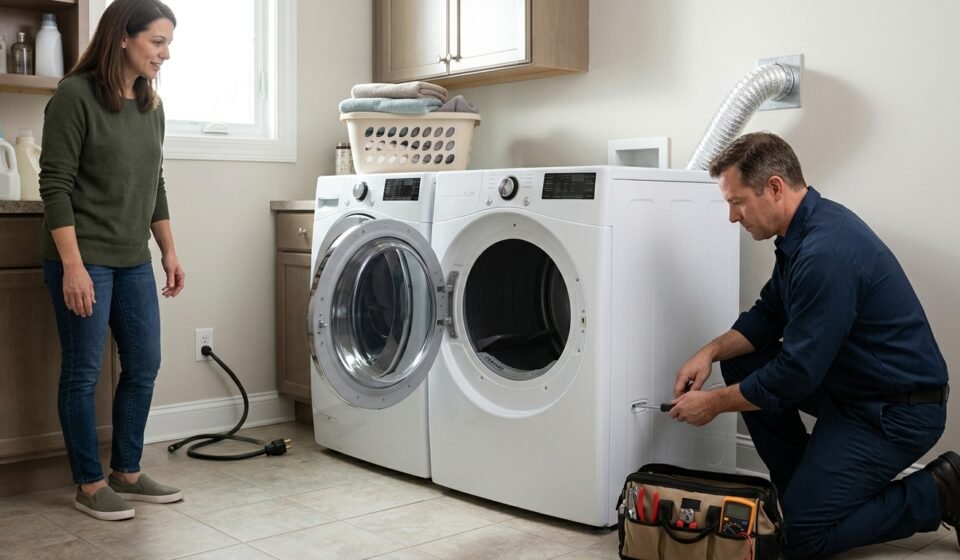

If your Frigidaire dryer will not start, produces no heat, takes too long to dry clothes, or makes an unusual noise, the right fix depends on the symptoms. Some problems come from simple issues such as an incorrect cycle setting, a blocked lint screen, or an overloaded drum. Others may involve electrical components, the drive system, or the heating assembly.
The safest approach is to start with simple external checks, identify the type of problem, and avoid replacing parts until you have evidence that they have failed.
This guide explains how to troubleshoot common Frigidaire dryer problems, what each symptom may indicate, and when to call a qualified appliance technician.
Before You Fix Your Frigidaire Dryer
Safety comes first. Dryers combine heat, moving parts, and potentially hazardous electrical or gas connections.
- Turn the dryer off before inspecting it.
- Unplug the dryer before cleaning internal components, removing panels, or attempting any internal repair. If it is hardwired, have a qualified professional isolate the power.
- If you have a gas dryer, do not dismantle or adjust the gas system unless you are qualified to do so.
- Never bypass a door switch, thermal fuse, thermostat, or other safety device.
- Do not operate a dryer with its panels removed or its exhaust duct disconnected.
- If you smell gas, stop using the appliance. Leave the area if the smell is strong, avoid flames and electrical switches, and contact the gas supplier or emergency service from a safe location.
- If the dryer produces smoke, sparks, or a burning smell, stop using it and disconnect power only if you can do so safely.
For model-specific instructions, locate the dryer’s model number and consult its owner’s manual. The layout and repair procedure can differ between Frigidaire models.
Quick Troubleshooting: What Is Your Dryer Doing?
Start with the symptom that most closely matches your problem.
| Symptom | First things to check | Possible underlying issue |
|---|---|---|
| Dryer will not start | Power connection, door closure, cycle selection | Door switch, fuse, motor, or control issue |
| Drum turns but there is no heat | Cycle setting, circuit breaker, gas supply where applicable | Heating element, thermal fuse, thermostat, or another heating-system fault |
| Clothes take too long to dry | Lint screen, exhaust duct, load size | Restricted airflow, sensor issue, or heating problem |
| Drum does not turn | Load size, unusual sounds, whether the motor runs | Drive belt, motor, or drum-drive component |
| Squealing or grinding noise | Stop the dryer and note when the noise occurs | Worn support parts, belt, or another moving component |
| Error code appears | Record the code and check the model manual | A fault requiring model-specific diagnosis |
These are starting points, not definitive diagnoses. Several different faults can produce similar symptoms.
How to Fix a Frigidaire Dryer That Will Not Start
If the dryer does not respond when you press Start, begin with the easiest checks.
Check the door and controls
Make sure the door closes fully and that nothing is obstructing the latch. Select the intended drying cycle and follow the start-button instructions in the owner’s manual. Some controls require the Start button to be held briefly.
If the control panel is locked, check whether your model has a Control Lock feature and follow the manual’s unlocking procedure.
Check the power supply
Confirm that the power cord is firmly connected and inspect the accessible cord and outlet area for obvious damage. Do not touch damaged wiring or a hot, discolored, or melted plug.
An electric dryer may have a control system that still appears partly functional even when its heating supply has a problem. If a breaker has tripped, you may reset it once according to the home’s electrical-panel instructions, provided there are no signs of damage or overheating. If it trips again, stop and contact a qualified electrician.
Never use an extension cord as a substitute for the dryer’s required electrical connection.
When the dryer still will not start
A defective door switch, thermal fuse, motor, or control component may be responsible. These parts cannot be reliably identified by appearance alone. Internal testing should be performed only by someone competent to work safely on the appliance.
How to Fix a Frigidaire Dryer That Runs but Does Not Heat
A dryer that tumbles without producing heat can have several causes. Do not immediately assume the heating element has failed.
Check the selected cycle
Make sure the dryer is not set to Air Fluff or another no-heat option. Confirm the temperature setting is appropriate for the load.
If the dryer was recently installed, check the installation instructions and verify that the appliance is connected to the correct power supply. Many electric dryers require a 240-volt supply; a supply problem can allow the drum to turn while preventing proper heating.
Check the gas supply on gas models
If you have a gas dryer, confirm that the gas supply has not been intentionally shut off and that there is no sign of a gas leak. Do not remove panels to inspect the burner or attempt to repair a gas valve yourself.
If you smell gas, stop and follow the safety instructions above.
Consider internal heating components
If the basic checks do not resolve the problem, possible causes include:
- A failed heating element on an electric model
- A blown thermal fuse or an open safety thermostat
- A faulty temperature sensor
- A gas ignition or burner-system problem
- A wiring or electronic-control fault
The correct diagnostic procedure depends on the model. A technician can test the relevant components and identify the cause before replacing parts.
Important: If a thermal fuse has failed, the underlying reason for overheating should also be investigated. Restricted airflow is one possible cause. Replacing a safety component without addressing an airflow problem may allow the fault to return.
How to Fix a Frigidaire Dryer That Takes Too Long to Dry
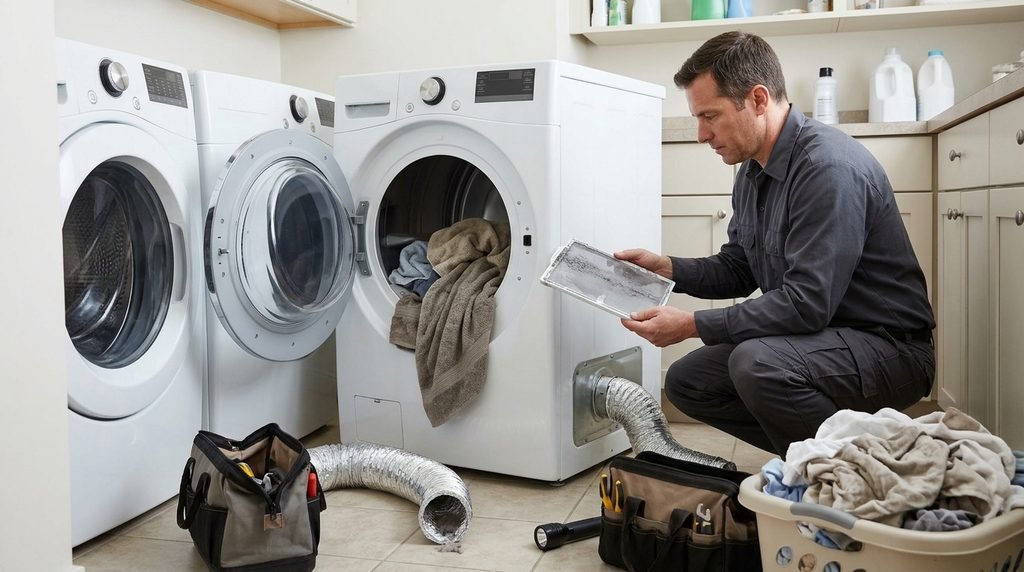
Long drying times are often related to airflow, load size, cycle selection, or moisture sensing. These checks are a good starting point because they do not require opening the dryer cabinet.
Clean the lint screen
Remove the lint screen and clear away accumulated lint. If fabric-softener residue has built up, consult the manual for the approved cleaning method. Let the screen dry completely before reinstalling it.
Never operate the dryer without the lint screen in place.
Inspect the exhaust path
A restricted exhaust duct can reduce airflow, extend drying times, and contribute to overheating. Check the accessible duct for kinks, crushing, or visible lint buildup. Confirm that the outdoor vent is not visibly obstructed.
Do not operate the dryer with its exhaust disconnected. If the duct is difficult to access or you suspect a significant blockage, arrange proper vent cleaning.
Review the load and cycle
Overloading the drum prevents clothes from tumbling freely. Very small loads can also dry inefficiently on some automatic cycles. Follow the manufacturer’s load guidance and group items with similar fabric weights.
Check that you have selected an appropriate heat setting and drying cycle. High humidity can also extend drying time.
Clean the moisture sensors if the manual permits
Some models use sensor bars to estimate how wet the clothes remain. Residue from fabric-softener products can affect sensor performance. If your model has these bars, use the cleaning method specified in its manual.
If the airflow, load, and cycle are all correct but drying remains slow, the dryer may have a heating, sensing, or internal airflow problem that requires further diagnosis.
How to Fix a Frigidaire Dryer That Will Not Spin
If the dryer runs or hums but the drum does not rotate, stop the cycle and avoid repeatedly restarting it.
First, remove some clothes if the drum is overloaded. A heavy load can strain the drive system. If the drum remains stationary with a normal load, an internal mechanical or electrical fault may be present.
Possible causes include a broken drive belt, a failed motor, or a problem with a drum-support component. The likely cause depends on the model and whether you hear a humming sound, a click, or no motor sound at all.
A drive belt replacement typically requires access to the inside of the dryer. Because cabinet disassembly varies by model and exposes moving and electrical components, use the correct repair guide and make sure the appliance is fully disconnected from power before any internal work.
If you are not familiar with appliance disassembly, have a technician inspect the drive system.
How to Fix a Frigidaire Dryer Making Noise
A new squeal, grinding sound, repeated thump, or loud rattle can indicate a mechanical issue. Turn off the dryer if the noise is severe, suddenly appears, or is accompanied by a burning smell.
Start by checking the drum for loose items such as coins, buttons, or other objects that may be making contact with the drum. Remove the items only when the dryer is off and cool, and only if they are safely accessible.
If the noise continues, possible causes include worn drum-support parts, a damaged or misaligned belt, a blower obstruction, or a motor-related problem. The sound alone does not identify the failed component with certainty.
Avoid running repeated test cycles to see whether a grinding noise disappears. Continued operation may cause further damage. If the source is not obvious, stop using the appliance until it can be inspected.
What to Do When a Frigidaire Dryer Displays an Error Code
If your dryer displays an error code, record the exact characters before turning the appliance off. A photograph of the display can help prevent mistakes when looking up the code later.
Next:
- Find the model number on the appliance identification label.
- Consult the owner’s manual or the manufacturer’s support information for that model.
- Follow any recommended user-level checks.
- Note whether the code returns after the approved troubleshooting steps.
- Contact service if the instructions call for internal diagnosis or the problem persists.
Do not assume that a code has the same meaning on every Frigidaire dryer. Avoid replacing a component based on an unverified code explanation from a different model.
Should You Repair the Dryer Yourself or Call a Technician?
Some tasks are suitable for many homeowners, while others involve significant hazards.
Reasonable preliminary checks for most users include:
- Confirming the cycle and temperature settings
- Closing the door correctly
- Cleaning the lint screen
- Checking the accessible exhaust duct for obvious restrictions
- Reducing an overloaded load
- Recording an error code and checking the manual
Professional service is the better choice when:
- The circuit breaker repeatedly trips.
- The power cord, outlet, or wiring shows signs of heat damage.
- You suspect a failed internal electrical component.
- The dryer has a gas ignition, valve, or burner problem.
- A fuse keeps failing or the appliance overheats.
- The cabinet needs to be dismantled and you are unfamiliar with the procedure.
- The dryer continues to make severe mechanical noises.
If the appliance is still covered by a warranty or protection plan, check the applicable terms before opening the cabinet or buying parts. Unauthorized repairs may affect coverage under some agreements.
How to Find the Correct Frigidaire Dryer Replacement Part
If diagnosis confirms that a component has failed, match the replacement part to the appliance’s exact model number.
Do not choose a part based only on its appearance or the fact that it fits a similar-looking dryer. Components can vary across model revisions, even within the same product family.
Before ordering, verify the part number against the model’s parts information. Check whether the part is supplied with any required associated components, and follow the appropriate repair instructions.
A correct part will not solve the problem if the actual cause lies elsewhere. For example, replacing a heating component will not clear a blocked exhaust duct.
Frequently Asked Questions
How do I reset a Frigidaire dryer?
There is no single reset procedure that applies to every model. Check the owner’s manual for the correct method. If the dryer stopped after a breaker tripped, investigate why the breaker tripped rather than repeatedly resetting it.
Why does my Frigidaire dryer run but not heat?
Possible causes include a no-heat cycle setting, a power-supply issue on an electric dryer, an interrupted gas supply on a gas model, or a failed internal heating component. Start with the safe external checks and consult the model-specific instructions.
Can I replace a Frigidaire dryer thermal fuse myself?
Some experienced DIYers can replace a thermal fuse, but the correct location and procedure vary by model. The dryer must be disconnected from power, and the underlying cause of the fuse failure should be investigated. If you are unsure how to perform the repair safely, use a qualified technician.
Why does my Frigidaire dryer keep stopping?
Overloading and motor overheating are possible causes, but there may also be a power, sensing, or internal component problem. Allow the dryer to cool if the manual recommends it, reduce the load, and check for airflow restrictions. If it continues stopping, arrange a diagnosis.
Is a dryer that takes too long to dry dangerous?
Long drying times can indicate restricted airflow. Lint buildup in the lint screen or exhaust system can contribute to overheating and fire risk. Clean the lint screen regularly, maintain the exhaust path, and stop using the dryer if you suspect a serious blockage or overheating.
Final Thoughts
The best way to fix a Frigidaire dryer is to match the troubleshooting process to the symptom, begin with safe checks, and avoid replacing parts without confirming the cause.
Check the cycle, door, power supply, lint screen, load size, and accessible exhaust duct first. If the problem points to internal electrical components, gas-system parts, repeated overheating, or serious mechanical damage, seek qualified service.
Before attempting a model-specific repair, identify the exact dryer model and follow its owner’s manual. A careful diagnosis is usually more useful—and less expensive—than replacing parts based on guesswork.



[…] if your filament makes popping sounds during extrusion, produces unusual bubbles, or consistently gives you rough surfaces despite correct printer […]